
Banners
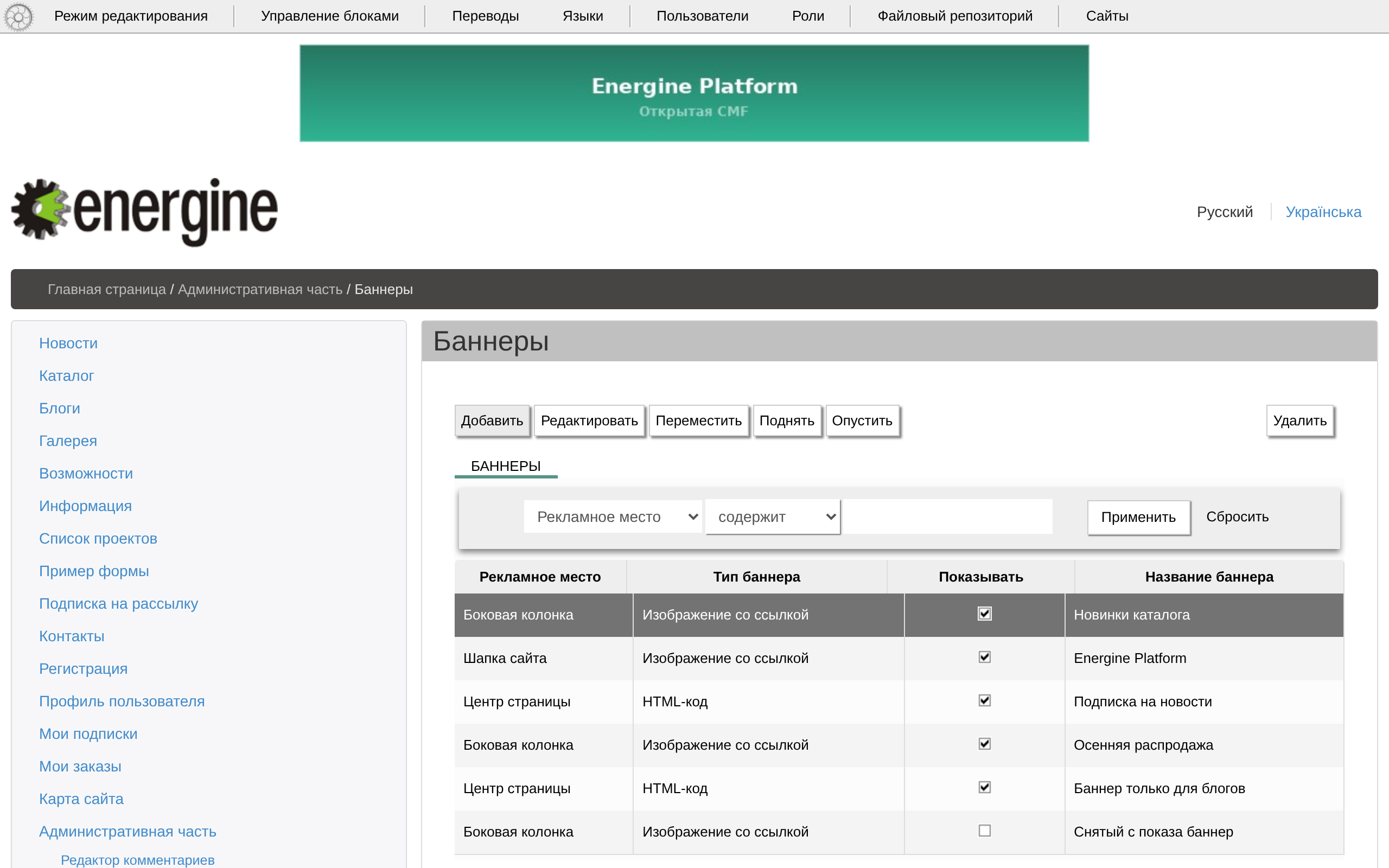
There are two ways to place advertising: banners in banner places, and HTML inserts of a page.
Banner places and banners
- «Баннерные места» (Banner places,
/admin/ads-types/): «Системное имя» (System name), a name, «Ширина, px» (Width) and «Высота, px» (Height). An empty site hassidebar, «Боковая колонка» (Side column), 240×400; the demo content addstop, «Шапка сайта» (Site header), 728×90, andcenter, «Центр страницы» (Page centre), 468×60. - «Баннеры» (Banners,
/admin/ads-items/): the place, a name, «Показывать» (Show), «Тип баннера» (Banner type) — «Изображение со ссылкой» (Image with a link) or «HTML-код» (HTML code) — «Сайты» (Sites) and, on the tab «Категории» (Categories), «Разделы» (Sections). The sections offered are the pages under «Рубрики баннеров» (Banner categories,/banners/, taggedads), not the site's ordinary pages; a banner with no sections shows everywhere. Energine\ads\components\Adsshows the active banners of its place — paramtype— for the current site and page:limitof them (1 by default), in random order unlessordersays otherwise. The placements that ship:topBanner(top) in the base layout,sidebarBanner(sidebar) on catalogue pages,centerBanner(center) on blog pages and the widget «Баннер» (Banner).- A banner is one for all languages. There are no statistics of views or clicks, and no start or end dates.
HTML inserts of a page
The page form has a tab of HTML inserts — its caption shows as TXT_ADS — with a field for each column of the table apps_ads: the release has ad_top_728_90 and ad_content_468_60. A section's inserts also apply to its subsections. The base layout prints them at the top of the page and above the content.
The HTML of banners and inserts is printed as it is: give the rights to edit it only to people you trust; see Known risks.