
Structure and content
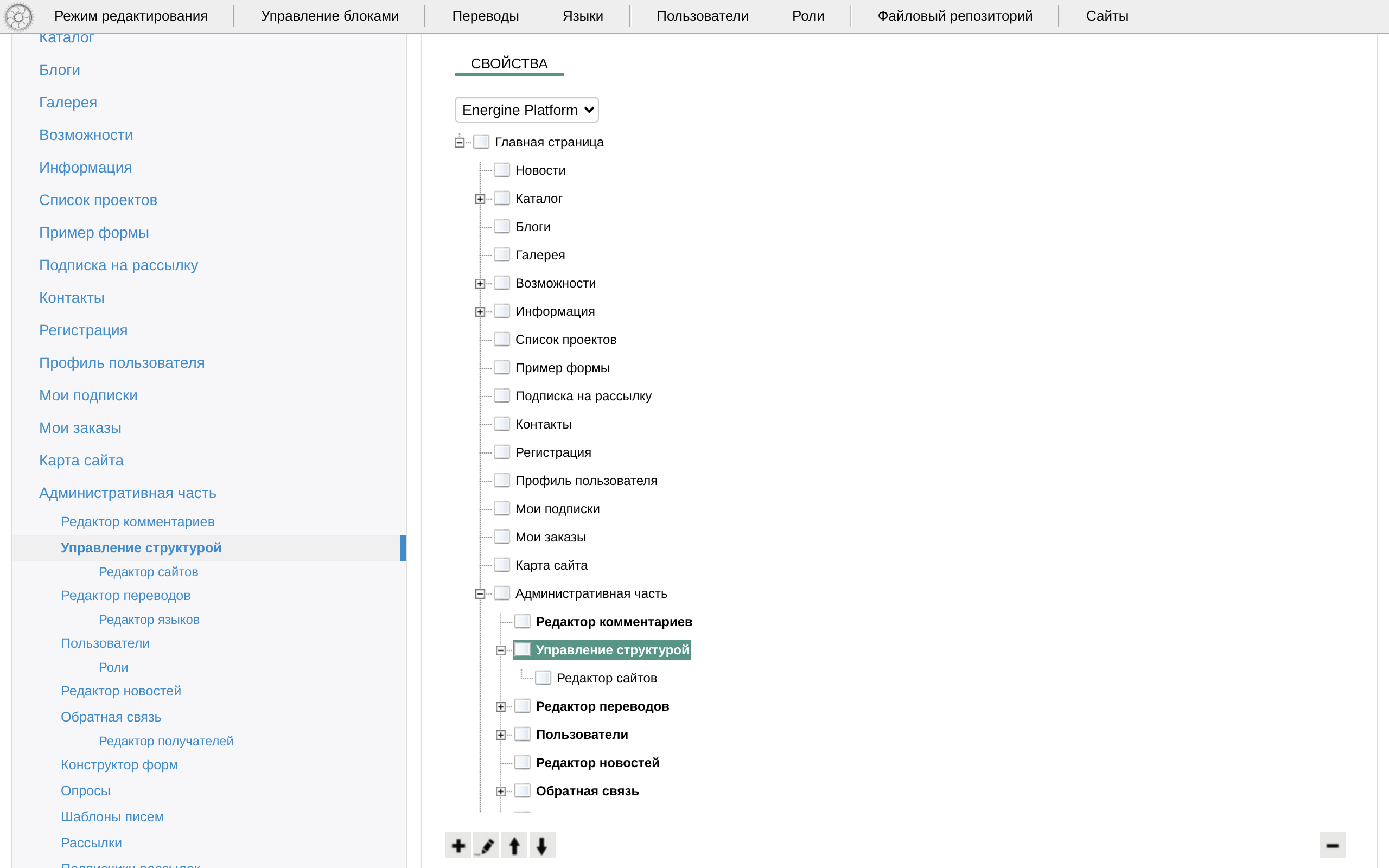
A site is a tree of sections. Each section is a page with its own address segment, its names in each language, a layout and a content template, rights for each group and tags. Texts are edited on the page itself.
The section tree
«Управление структурой» (Structure management, /admin/structure/) shows the tree of the current site with «Добавить» (Add), «Редактировать» (Edit), «Удалить» (Delete), «Поднять» (Move up) and «Опустить» (Move down) under it. A new section goes under the selected one. The same tree opens beside any page from the logo of the page toolbar.
The section form:
- «Содержимое страницы» (Page content) and «Макет страницы» (Page layout) — the templates; see Page templates. Choose both every time: the lists open on the first item by name, not on the usual ones.
- «Сегмент URI» (URI segment) — Latin letters, digits,
-and.; left empty, it is made from the name. A page's address is the chain of its parents' segments:/about/team/. - «Перенаправлять по адресу» (Redirect to address) — the page answers with a temporary redirect (302) there, and menus link straight to it.
- «Мета robots» and, on the language tabs, «Альтернативный title страницы» (Alternative page title), keywords and description — see URLs and search engines.
- «Теги» (Tags) — a new section gets
menu, which puts it into the main menu. - On each language tab: «Название раздела» (Section name) — required in every language whose «Отключен» (Disabled) is not ticked — «Заголовок страницы» (Page heading) and «Описание раздела» (Section description).
- «Права на страницу» (Page rights) — a level for each group, filled from the parent; see Users and permissions.
Deleting a section deletes its subsections and everything kept for them: texts, news, goods, comments.
Texts on the page
A page shows texts through text blocks, Energine\share\components\TextBlock. The param num numbers a block on its page; a word in num, such as footerTextBlock, makes one text shared by every page that shows it. Each text is kept in each language.
An administrator's page toolbar has «Режим редактирования» (Edit mode): the page reloads with the CKEditor visual editor on every text block, with pictures, files and video from the file repository. There is no save button: the texts are saved when you leave the page, for example by turning edit mode off. Chromium-based browsers — Chrome, Edge — do not allow that request, and the changes are lost there; edit texts on the page in Firefox. A save replaces the text: there is no history.
Menus, lists and the site map
PageListlists pages. The main menu isPageListwithtags=menu,recursive=1and the configMainMenu.component.xml; «Список подразделов» (List of subsections,childs.content.xml) lists the page's subpages.- Breadcrumbs are on every page.
- «Карта сайта» (Site map,
map.content.xml) isSitemapTree. It shows the home page and the pages with the tags of itstagsparam; the shipped template gives none, so it shows only the home page. Copy the template intosite/modules/main/templates/content/, give the component<params><param name="tags">menu</param></params>, runphp index.php setup linkerinhtdocs/and choose the copy for the page: the map shows the menu's pages.
Blocks
«Управление блоками» (Manage blocks) on the page toolbar drags blocks between the columns of a page, adds blocks from «Виджеты» (Widgets, /admin/widgets/), edits their params and saves the result for this page only or into the template; see Page templates.
Data and pages
share_sitemap and share_sitemap_translation keep the sections, share_access_level the rights, share_textblocks and share_textblocks_translation the texts. An empty site has the home page, /login/ and the admin; the demo content adds /sitemap/, a gallery at /media/ and /features/, a guide to the modules.
Know the risks of the admin: no CSRF protection, the block editor writes template files, deletes cascade.