
Languages and translations
Pages, texts and interface strings are kept in each language of the install; the languages are shared by all its sites. The release has Russian and Ukrainian; Russian is the default.
Languages and addresses
- The default language has no prefix in addresses; another language has its abbreviation:
/ua/about/. The language switcher of the base layout shows when there is more than one language. - «Редактор языков» (Language editor,
/admin/translations/languages/, «Языки» on the page toolbar): «Аббревиатура языка» (Language abbreviation, two Latin letters), «Название языка» (Language name), «Локаль» (Locale, in the edit form) and «Язык по умолчанию» (Default language). A new language starts as a copy of everything of the default one; Interface languages has the steps and the fix a fresh install needs first. - The current and the default language can't be deleted. Deleting another deletes everything kept in it; see Known risks.
What is translated
- Pages: the name, the title, the description, the HTML title, the keywords, the meta description and «Отключен» (Disabled) in each language; a page switched off in a language answers 404 there.
- Text blocks, edited on the page in its language.
- News, mail templates, the names of newsletters and the shop's texts.
- Not translated: banners, blog posts, comments and feedback messages. Newsletters go out in the default language.
Interface strings
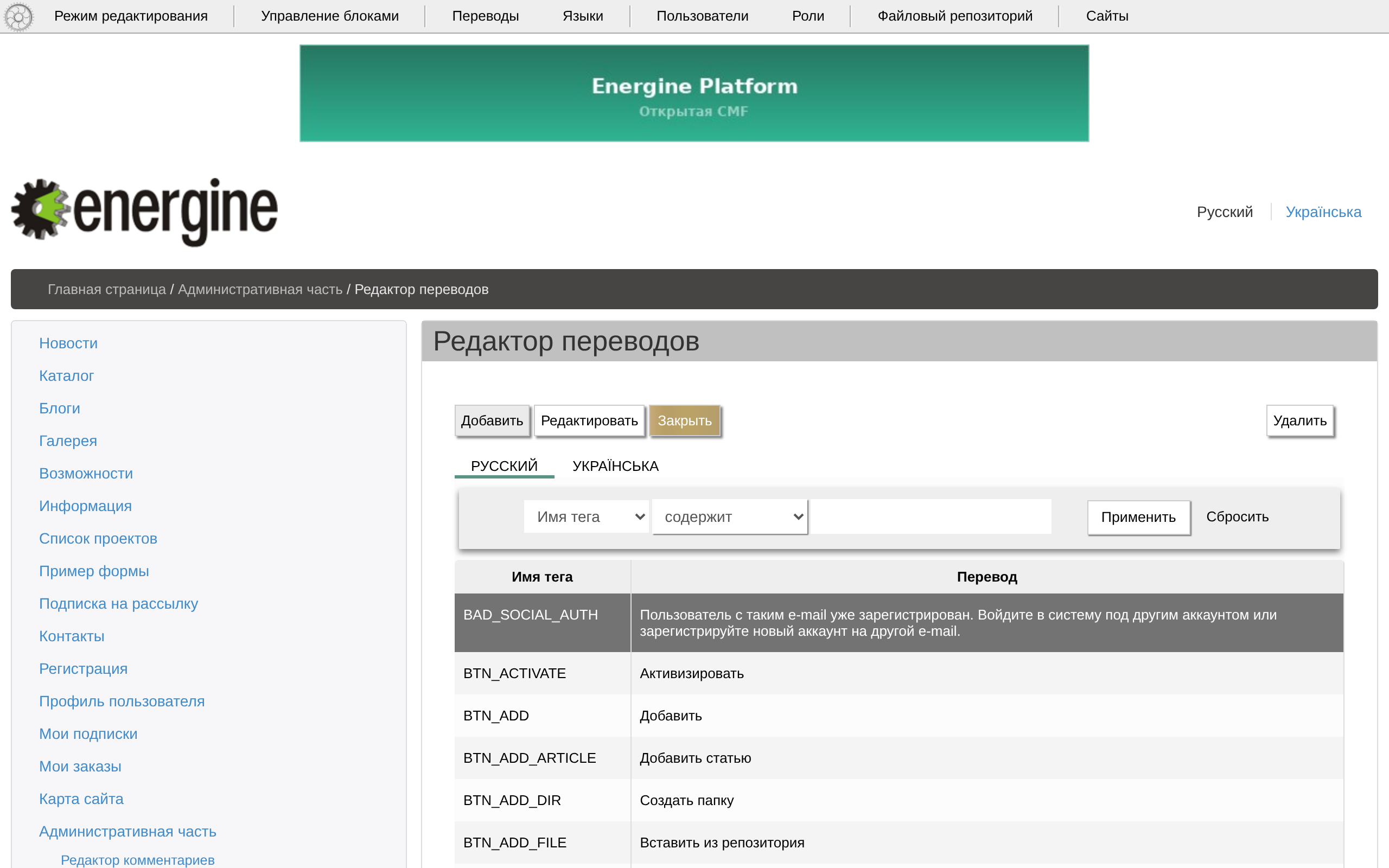
«Редактор переводов» (Translations editor, /admin/translations/, «Переводы» on the page toolbar) lists the constants — «Имя тега» (Tag name) — with «Перевод» (Translation) on a tab for each language. A string without a translation shows its constant name. The console tools setup untranslated, exportTrans and loadTransFile are described in Interface languages.